8-3 Meta AI: Llama3 model
Learning Objectives
Use a Python program to download the Llama 3 model from the Hugging Face platform, and ask questions to Llama 3 using simple prompts to get answers.

What is Llama 3?
Llama 3 is a large language model developed by Meta, functioning like an AI model that can understand text, write articles, and answer questions. It has read a vast amount of text from the internet and learned how to converse naturally and fluently with people.
What Can Llama 3 Do?
1. Write essays / complete sentences: Input a partial text, and the AI will automatically complete the rest.
2. Answer questions: You can ask about history, science, math, or everyday life topics.
3. Generate code examples: It can provide examples for simple programming syntax.
How to Get Started?
1. Go to the Hugging Face Llama 3 page (https://huggingface.co/collections/meta-llama/meta-llama-3-66214712577ca38149ebb2b6) and select meta-llama/Meta-Llama-3-8B-Instruct.
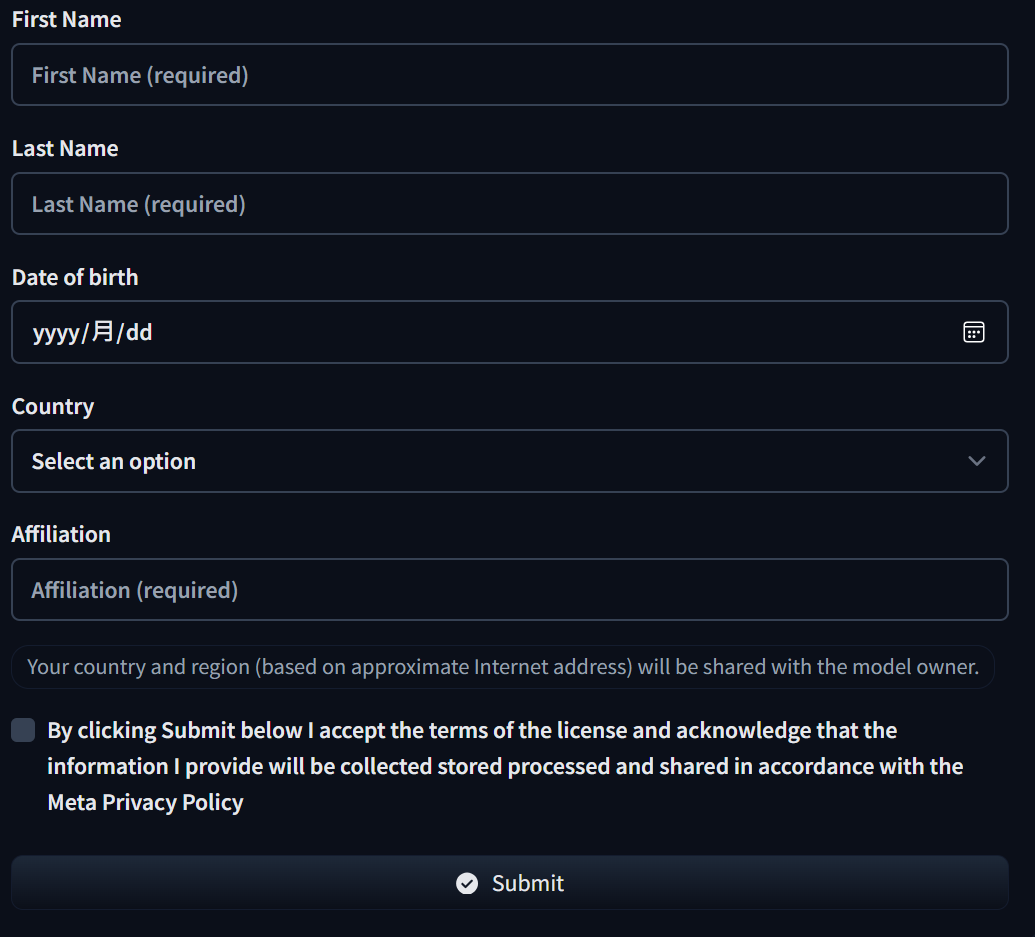
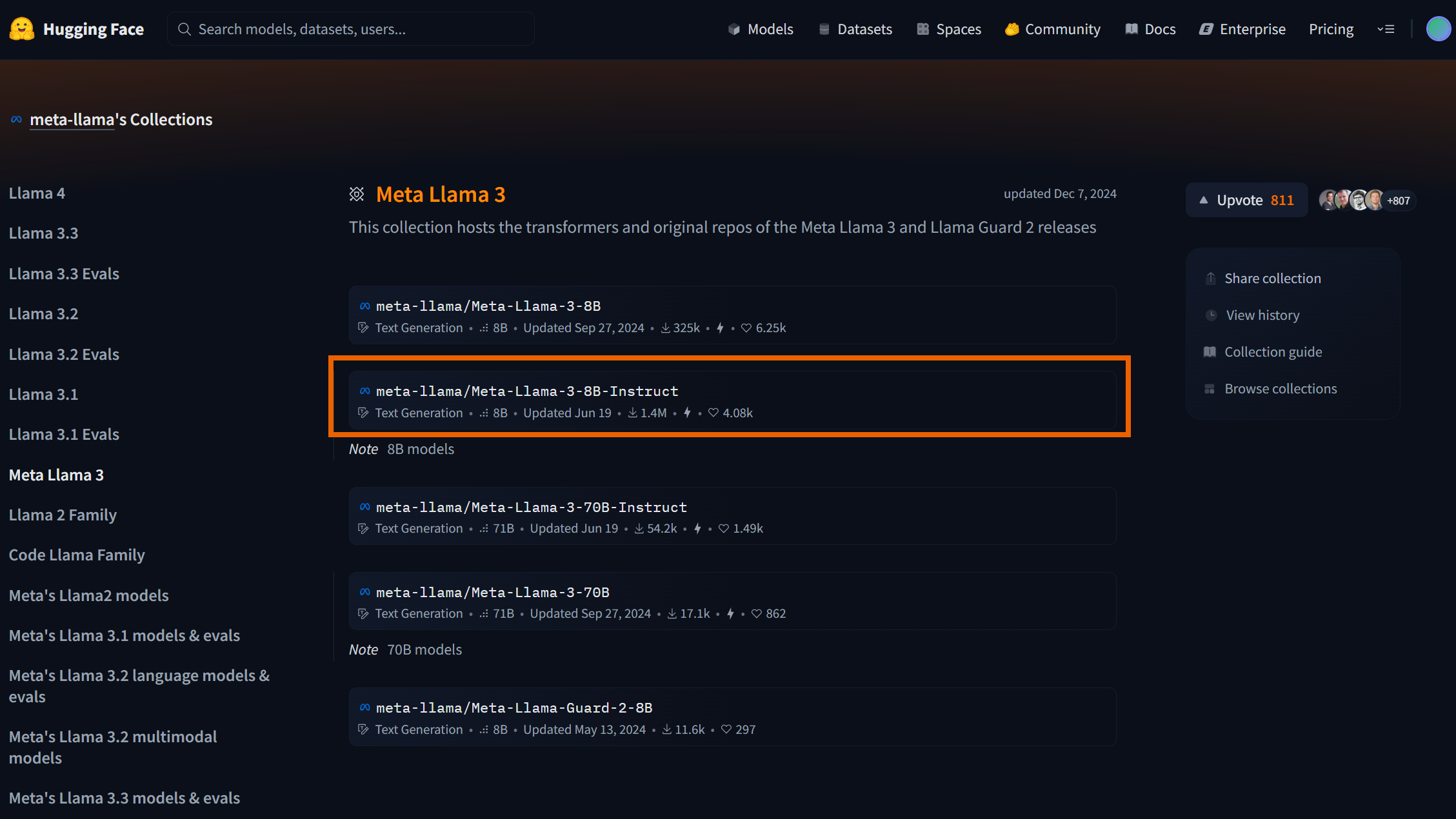 2. Fill in the required information to apply for access and wait for approval.

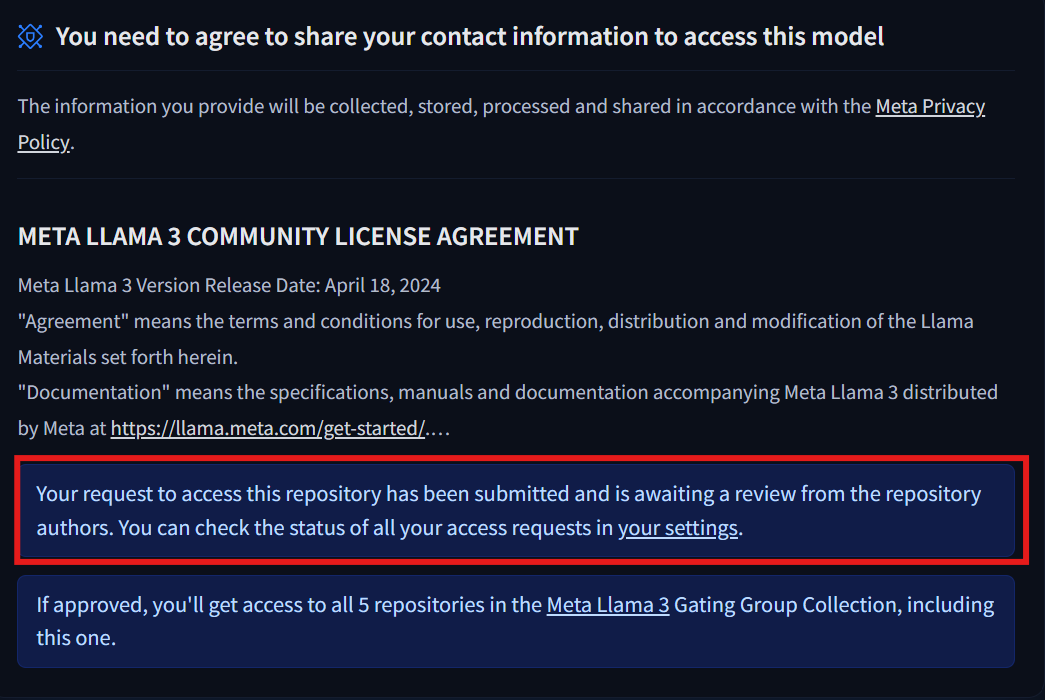
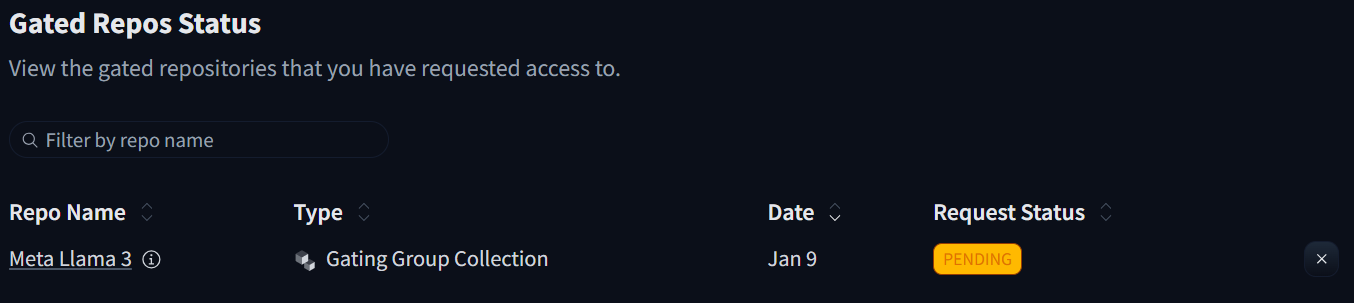
 3. After completing the form, you can check the processing status in the settings.
4. Upon success, you will see the following screen.

5. The following example code lets Llama 3 generate an answer to the prompt "What is a cat? Describe in one sentence."
(1) Replace token with the Hugging Face token you generated earlier.
import transformers
import torch
from huggingface_hub import login
# Log in to Hugging Face
login(token="hf_XXXXXXXXXXXXXXXX") # Replace with your own Hugging Face token
# Model name
model_id = "meta-llama/Meta-Llama-3-8B-Instruct"
# Create a pipeline for text generation
pipeline = transformers.pipeline(
    "text-generation",  # Specify the task type as text generation
    model=model_id,  # Specify the model ID
    model_kwargs={
        "torch_dtype": torch.bfloat16, # Set the data type of the model (bfloat16)
        "cache_dir": "./model" # Set the path to store the model (default is ~/.cache/huggingface)
    },
    device_map="auto",  # Automatically select device (CPU or GPU)
)
# Set up the conversation messages, with roles and content
messages = [
    {"role": "user", "content": "What is a cat? Describe in one sentence."},  # User asks a question
]
# Define end-of-sequence tokens to identify where generation should stop
terminators = [
    pipeline.tokenizer.eos_token_id,
    pipeline.tokenizer.convert_tokens_to_ids("<|eot_id|>")
]
# Use the pipeline to generate text
outputs = pipeline(
    messages,  # Input messages
    max_new_tokens=256,  # Maximum number of new tokens to generate
    eos_token_id=terminators,  # List of end-of-sequence token IDs
    do_sample=True,  # Enable random sampling for generation
    temperature=0.6,  # Controls randomness of generation
    top_p=0.9,  # Only consider tokens with cumulative probability up to 0.9
)
# Print the result
print(f'result: {outputs[0]["generated_text"][-1]["content"]}')
6. After execution, the system will download and load the model. Since the model has not been optimized, the generation speed will be relatively slow and will require some waiting time.

7. fter running it, you will see a response similar to the following:

Once completed, you can modify the input question in the program and use Llama 3 to assist with writing, problem-solving, or practicing programming.
For example, asking questions like:
1. What are Newton's three laws of motion?
2. In which year did the Opium War take place?
3. Translate "an apple a day keeps the doctor away" into Chinese, and so on.
Reference:
meta-llama/Meta-Llama-3-8B-Instruct · Hugging Face
Adapted from the original YUAN Developer Hub article. Source ID: 270.